

GoldCRM
Gold rings in a ring box

Billing & point of sale

Jewellery Billing & POS Software with GST Invoices

Scan a tag, price it at today’s approved rate and post a GST invoice in seconds.

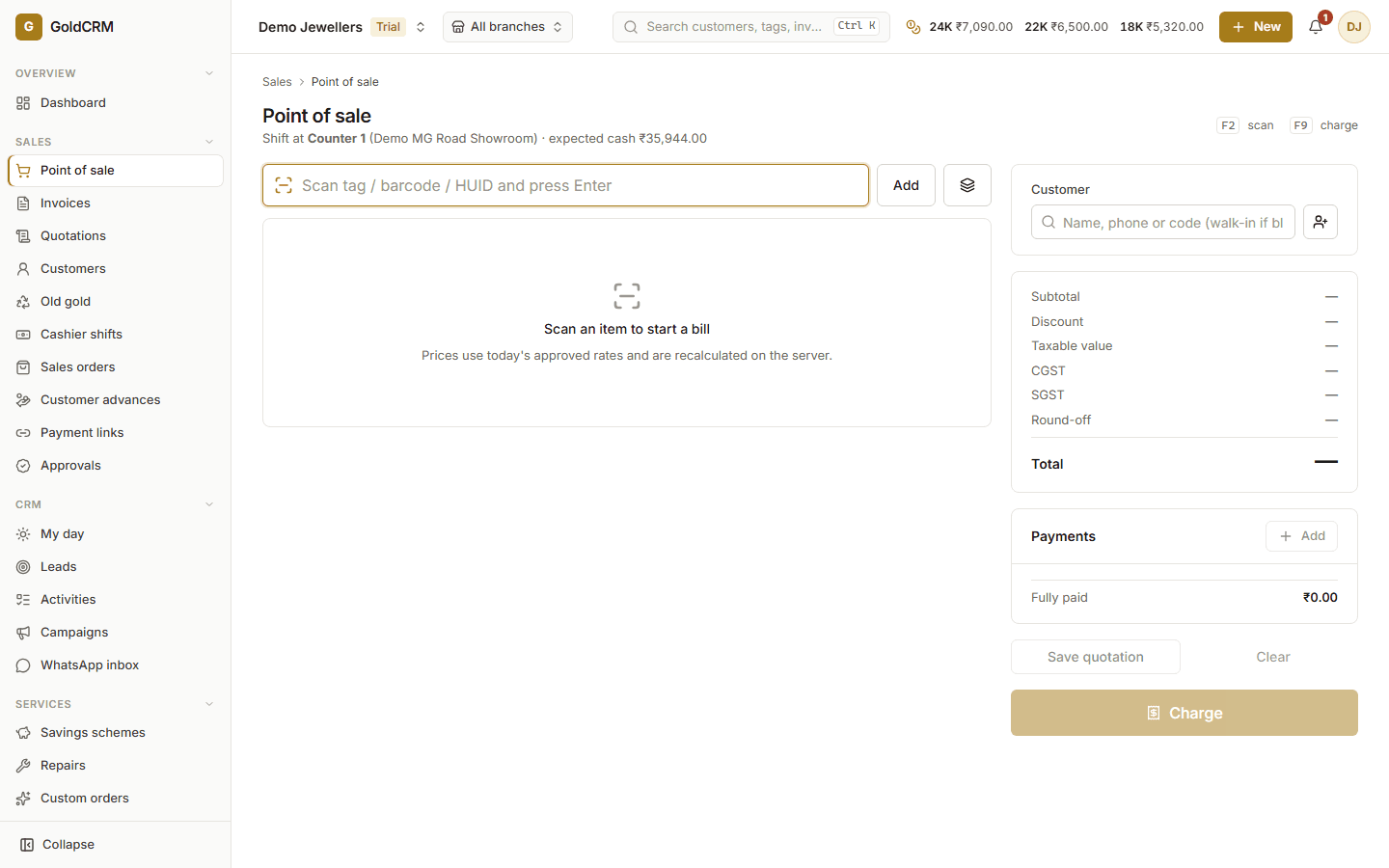
GoldCRM point of sale: scan a tag, choose the customer, see the GST split and take split payments
Billing at the counter — a demo business with sample figures

At the counter, speed and accuracy are everything. GoldCRM prices each piece on the server from the approved rate in force — metal value, wastage, making charge and stone value — so every salesperson quotes the same price for the same piece.

Invoices apply CGST and SGST or IGST by place of supply, are numbered per branch and financial year, and can never be deleted: returns and cancellations are issued as credit notes with a full trail.

What you can do

  • Metal value, wastage, making charge (per gram, %, fixed) and stones priced by the server
  • CGST/SGST or IGST by place of supply, configurable round-off
  • Split payments: cash, card, UPI, bank, cheque, old gold, loyalty points, schemes, order advances
  • Razorpay payment links for remote payment, matched to the invoice automatically
  • Rate-locked quotations with optional reservation of pieces
  • Discount, credit and rate-override approvals from a manager
  • Invoice PDF download and sending by WhatsApp, SMS or email
  • Returns and cancellations by credit note — invoices are never deleted
  • Cashier shifts with expected cash, counted cash and variance

How it works

Billing & point of sale, step by step

  1. 1

    Scan or search

    Scan the tag, barcode or HUID, or search the product; batch stock is sold by weight.

  2. 2

    Price at the approved rate

    The server prices the cart and shows every component and the GST split.

  3. 3

    Take payment

    Split across cash, UPI, card, old gold, loyalty points, a matured scheme or an advance.

  4. 4

    Post and send

    Post once (retries can never double-post) and send the PDF to the customer.

FAQ

Questions about billing & point of sale

What happens if the gold rate changes while a customer is deciding?

The invoice is posted with the total the cashier saw. If the server’s price differs because a new rate came into force, posting is refused and the cart is re-priced, so no one bills at a stale rate by accident. A quotation can lock the rate for the customer instead.

Can a salesperson give a discount?

Yes, within the limit your policy allows. Anything beyond it needs a manager’s approval, which the salesperson requests from the bill and the manager approves from their own screen or phone.

Works with

Gold & silver rates

One rate board that every price, quote and valuation reads from.

  • Rates per purity (24K, 22K, 18K, silver, platinum and your own)
  • Separate sale, purchase, exchange, valuation and wholesale rates
  • Business-wide or branch-specific rates with effective times

Learn more

Old gold & exchange

Assess, approve and settle old gold with a clear trail.

  • Tested fineness and method, gross and stone weight, melting loss and deductions
  • Valued at the approved exchange or purchase rate
  • Maker–checker approval and recorded customer acceptance
Learn more

Customer CRM & loyalty

Remember every customer, every occasion, every follow-up.

  • Customer 360°: purchases, outstanding, schemes, repairs and orders
  • Leads with owners, sources, follow-ups and conversion
  • Calls, tasks, appointments and a daily “My day” agenda
Learn more
Gold coins

See billing & point of sale with your own data

A walkthrough with your products, your rates and your branches — no slides.